Samstag, 14. Mai 2016

Javascript Beginner's Array Exercises: Evaluate the existance of a specific element in an array

Now we search a specific array element an array of integers. The element we search for is stored in the variable V.
In Javascript, there is a function that provides just that functionality: indexOf. indexOf returns the index of the searched for element. If the array does not contain the element, indexOf would return -1. For more information, see: http://www.w3schools.com/jsref/jsref_indexof_array.asp

However, the task is to get used to traverse and work with arrays. So in this video we won't use indexOf, but we will search for the array element manually.


Here is the relevant source code:

var arNums = [76,42,2,3,5,6,2,56,777,9,0,5,2,56,1];
var V = 716;

var foundV = false;
for(let i = 0; i < arNums.length && foundV==false; i++) {
  if(arNums[i] == V) {
    foundV = true;
  }
}


You can also check for the existance of the element using indexOf like this:

if (arNums.indexOf(V) > -1) {
   foundV = true;
} else {
   foundV = false;
}

You can even abbreviate that 5 lines above like this:

foundV = (arNums.indexOf(V) > -1);

Why does this work? arNums.indexOf(V) > -1 is an expression that yields true or false, which is just what we want the variable foundV to contain. So we can write the result of that expression directly in our variable.

Donnerstag, 12. Mai 2016

Javascript Beginner's Array Exercises: Finding elements in an array

In this video about arrays in Javascript we find the number of integer elements in an array that are >= 10.


Here is the important part of the source code:

// 1: Given an integer array: The program must compute and write how many integers are greater than or equal to 10.

var arNums = [76,42,2,3,5,6,2,56,777,9,0,5,2,56,1];

var intsGTE10 = 0;
for(let i = 0; i < arNums.length; i++) {
  if(arNums[i] >= 10) {
    intsGTE10++;
  }
}

Find more of these exerciseson (with solutions in C++) in wikibooks: https://en.wikibooks.org/wiki/C%2B%2B_Programming/Exercises/Static_arrays/Pages

Montag, 2. Mai 2016

Boost the performance of your JavaScript code using memoization

Memoization is a technique to cache function results in programming languages with certain functional features like JavaScript. It's known since the late 60s but you have to do a bunch of tricks to get memoization working in most of the popular languages in the last few decades. However, with the great popularity of languages like JavaScript or Python and with new features in the more "traditional" languages, memoization becomes available to a broad of computer programmers.

In this video I give an overview about writing a memoizer for a function that takes 1 argument. If you understand this basic principle, you can build even more powerful and versatile memoizers that can handle functions with one or more arguments. For an example, see this article on the Hexacta blog.

Donnerstag, 14. April 2016

Scriptless ways to validate field input in Siebel CRM

There are lots of articles on how to do X without using script. Reasons why not to use script include performance, maintainability and reduced complexity. See Declarative Alternatives to Using Siebel Scripting (Doc ID 477842.1) for details on how to avoid scripting in various contexts.

Also you can find interesting scriptless examples/challenges on various topics on Siebel Hub: http://www.siebelhub.com/main/?s=scriptless

This article is all about Scriptless Field Validation. Here is a list of possible validations. There are most likely even more possibilities. Feel free to add your ideas in the comments. Please also leave a comment or email me if you find any errors (:

Validate the data input of a field

The following tools are available to restrict user input:

  • Check if value is null (Nullable, Required)
  • Uniqueness of field values (unique index)
  • Data types / domaints (Physical Type, Type, Length)
  • Field Validation
  • Data validation manager (validations of various fields within a record)
  • Value constraints:
    • Picklists
    • Pickmap constraints
    • Picklist Search Specification
    • Picklist's BC: Search Specification
    • Picklist's BC: Join Spec / Join Constraint

In the following text, each of these settings is discussed:


Can the field be empty?

  • Table level: Nullable
  • BusComp level: Required

Use this to force the user to enter a value into the field. If you meet a not-null-requirement consider first to implement it on table level. Leaving the table column nullable while setting the required flag only on BC level could be a potential source of errors. However, if the field should only be required for some BC's/views while it can be null in other BCs/views, you have the possibility to fine-tune the behaviour by using combinations of those two flags.


Are multiple instances of the same field value (or the combination of values in various columns of a single table) allowed?

  • Table level: Unique Index

Keep in mind that unique indices need space and may decrease performance on insert/update/delete - heavy tables. On the other hand, unique indexes can be way more performant to prevent doublettes than querying for the existance of a record in the PreWriteRecord-Event of a BC.


Domain range / format of the field value

  • Table level: Physical Type / Length
  • BusComp level: Type / Text Length BusComp level: Validation (Rule that yields true/false)

This should be obvious. If you only want integer values in a field, make it an integer field! Same goes for date/time, etc.


Validating the field value in run-time (possible: combination of values of multiple fields the record)


Thus, the corresponding rules can be changed without the need to redeploy your solution.


Validate the field value against a list of possible values (Lookup)


Which field value from which entity should the field value be picked?

  • Define Picklist / Pickmap

Whenever a user should input only from a range of possible values, define a picklist (that either takes the value from an LOV or from another entity/BC). This not only helps the user (via the pickapplet search possibilities) but also keeps you data clean. Hardly anything is more frustrating than searching for all PhD employees in your database when the users can input the academic title as free text - resulting in various values like "PhD", "PHD", "Ph D", "Ph. D", "Ph.D",etc... it's avoidable!


Restrict picklist: Only allow records of the picked BC that have field values equivalent to field values of the picking BC:

  • Pickmap constraint

This is a nice one. With picklist constraints you can constraint what the user can input into a field based on the values of other fields of the same records.
Note the possible use of calculated fields. Eg. if you only want to allow records which's "Main Flag" is set to "Y", you could define a calculated field in the picking BC that is always "Y".


Filter records that can be picked:

  • Picklist level: Search Specification

Picklists themselve can be constrainted already by their search specification. For example, you can create separate picklists for "All Employees" and "Active Employees" by using search specifications.
Also keep in mind that this search specification is additive to the search spec that is already defined in the picklist's underlying BC.
Furthermore the available records can be constrainted by having (inner) joins defined in the underlying BC.
So whenever you ask yourself "why can't i choose record XX", you now know the first places to search for any constraints :)


Only pick values if the picking field does not already contain a value:

  • Pickmap Field level: UpdateOnlyIfNull

This is not really a constraint, but it's nice to mention that automatically picked values (within the pickmap) can be configured so they are only picked if the target field is null. This way you easily can create a default value for a field which's value is retreived from a record of another entity (the picklist's BC).


Donnerstag, 31. März 2016

Evaluating the distribution of amino acid triples for proteins of humans using Amazon's Elasic Map Reduce

This is a tutorial on how to use Amazon's EMR to analyze data parallel in a cluster. This is an educational article with the purpose to show how elastic Map/Reduce works. For the sake of simplicity, we are about to calculate sequences of 3 amino acids in this tutorial. This (rather small) problem could be solved by a classical (single-threaded) imperative program as well much faster and with much less overhead.
However, when it comes to bigger problems (like analyzing sequences of >=8 amino acids), the scalability of map/reduce really starts to kick in and makes it possible to analyze huge amount of data (it's part of the "big data - hype" after all :) )

The data

Since the human genome was fully sequenced, we know all types of proteins (and their amino acid sequence) that exist in the human body. In fact, you can download this information as zipped TXT files from NCBI: ftp://ftp.ncbi.nih.gov/genomes/Homo_sapiens/protein/ - download protein.fa.gz

This zip file is only 11,3MB of size ... our whole life in such a small file ..

Proteins are chains of Amino Acids (AA). Only 22 different AA's are used in human proteins, so each of them is assigned a letter. You can look up that assignments in wikipedia.

In the File, each pair of 2 lines represents the name and the actual sequence of AA's of every protein found in the human body.

In this example, the occurance of each possible triple of AA's are counted throughall all proteins in the input file. The following example shows what is done:

Let's consider the following AA-seqence: AABABAB

From this sequence, we can extract the following triples and there count of occurrences:

  • AAB: 1x (AABABAB)
  • ABA: 2x (AABABAB)
  • BAB: 2x (AABABAB)

The Results

It is remarkable that there are indeed a few triples that occure very often in the analyzed AA-chains. Below is a graph showing the number of occurrences of the top 400 triples (each triple is assigned a number, starting with triple 1 - the tiple with the most occurences - almost 80K).


The logarithmic pattern of the distribution continues throughout the whole dataset.

The following is a table of the 10 most occurring triples:

TRIPLEOCCURANCES
SSS78314
EEE66653
LLL63178
PPP59174
AAA48985
SSL46638
SLL43912
LLS43323
LSS43262

You can download here a sorted CSV file with all triples and their occurrences

How it's done

Map/Reduce is a proven programming model to analyze data. What makes it so special is its ability to be executed (massively) parallel. Paired with modern implementations like Hadoop and its flexible and fast filesystem HDFS, Map/Reduce can be applied as a massively parallel procedure without running into problems like locks, dirty reads or all the other stuff we dislike about parallel algorithms :)

Map/Reduce works as follows in Hadoop:
  1. The input file (for example the amino acid sequence file) is split into several parts (chosen by the system or configured by the user)
  2. A number of MAPPER tasks are spawned. Each mapper is filled with a part of the input file splittet in step 1. (The mapper gets the data via stdin)
  3. The MAPPER writes out a number of KEY-VALUE-PAIRS (k, v) to stdout. In our example, this would be the sequence of 3 amino acids as key, and the (constant) count of 1 as value.
  4. After all mappers have finished, a number of REDUCER tasks are spawned. Each reducer is filled with a tuple that consists of a key and a LIST of values (k, ListOf(v)). In our example, a reducer could get an input that looks like this, if there were 4 key-value pairs emitted for the amino acid combination "FLI":
    1. (FLI, (1, 1, 1, 1))
  5. The reducer now can aggregate the values of the lists (like calculating the sum or the average of the values). The reducer outputs another key-value pair (k, v'). In our example, it should output:
    1. (FLI, 4)

After the reduce step we see, that the subsequnce "FLI" was found 4 time amongst all the data (of ALL mappers and reducers).

This was just a very brief overview. There can be done much more using Map/Reduce. Wikipedia is (as always) a good entry point: https://en.wikipedia.org/wiki/MapReduce

This is an illustration of how the map/reduce was used for this particular problem:


The Implementation

Most steps of the process are executed automatically by hadoop. The only custom code to write are: the mapper code and the reducer code.

In this example, python was used as implementation language for the mapper and the reducer process. Here is the code:

mapper.py

#!/usr/bin/env python
import sys

def main(separator='\t'):
    for line in sys.stdin:
        for n in range(0, len(line) - 1 - 3):    # iterate line from 0 to len-4
            print '%s%s%d' % (line[n:n+3], separator, 1)

if __name__ == "__main__":
    main()


reducer.py

The reducer code was taken from a great blog post from Michael Noll: http://www.michael-noll.com/tutorials/writing-an-hadoop-mapreduce-program-in-python/

I recommend this blog post for additional info on how to write map/reduce code.

#!/usr/bin/env python
"""A more advanced Reducer, using Python iterators and generators."""

from itertools import groupby
from operator import itemgetter
import sys

def read_mapper_output(file, separator='\t'):
    for line in file:
        yield line.rstrip().split(separator, 1)

def main(separator='\t'):
    # input comes from STDIN (standard input)
    data = read_mapper_output(sys.stdin, separator=separator)
    # groupby groups multiple word-count pairs by word,
    # and creates an iterator that returns consecutive keys and their group:
    #   current_word - string containing a word (the key)
    #   group - iterator yielding all ["<current_word>", "<count>"] items
    for current_word, group in groupby(data, itemgetter(0)):
        try:
            total_count = sum(int(count) for current_word, count in group)
            print "%s%s%d" % (current_word, separator, total_count)
        except ValueError:
            # count was not a number, so silently discard this item
            pass

if __name__ == "__main__":
    main()

Combiner

Combiners are useful to reduce the amount of data that is to be transfered and processed during the shuffeling step, especially if mappers run on different machines.
They can be introduced as additional processes that are executed directly after the mapping process but before the shuffeling process. In this example, the reducer.py is used also as a combiner. This means, that all results from each mapper are reduced directly after the mapping process.

Combine works only for the results of each mapper separately! So if there is more than 1 mapper process, combine can drastically speed up the whole process (by pre-aggregating the data), but reduce is still needed to process the data of all mappers.

Cluster creation and process management

To run a map/reduce process on amazon, you first have to create a cluster and add an execution step. This can be done via the GUI or via the AWS command line interface.

In this example, the AWS CLI was used.

Furthermore, a s3 bucket and the following subfolders need to be created:

  • Folder for log files
  • Folder for source files
    • Here the python code files are placed
  • Folder for input file(s)
  • Folder for output files
You can name these folders as you wish.

Locally you need:
  • steps.json

Cluster creation command

aws emr create-cluster --release-label emr-4.0.0 --use-default-roles \
--log-uri s3://yourS3bucket/logfolder --enable-debugging \
--applications Name=Hadoop --ec2-attributes AvailabilityZone=YOUR-ZONE \
--steps file://./steps.json \
--instance-groups InstanceGroupType=MASTER,InstanceCount=1,InstanceType=m3.xlarge InstanceGroupType=CORE,InstanceCount=4,InstanceType=m3.xlarge \
--auto-terminate


steps.json

This file needs to be placed locally (=on your machine) and serves as definition of step you want to execute. This file contains information on where to find the neccessary files for map/reduce:

[
  {
     "Name": "Protenom analyzer",
     "Type": "STREAMING",
     "ActionOnFailure": "CONTINUE",
     "Args": [
         "-files",
         "s3://yourS3bucket/src/mapper.py,s3://yourS3bucket/src/reducer.py",
         "-mapper",
         "mapper.py",
         "-reducer",
         "reducer.py",
         "-combiner",
         "reducer.py",
         "-input",
         "s3://yourS3bucket/inputFiles",
         "-output",
         "s3://yourS3bucket/outputFiles"]
  }
]

After starting the cluster, you can monitor the cluster in the AWS web console:


In this example, 1 master and 4 worker (virtual) machines were started as cluster to run the map/reduce processes.

The output files are written into the corresponding folder specified in steps.json. In the log folder you will find detailed logs on the whole map/reduce tasks, including the execution time, the number of spawned mappers/combiners/reducers, etc.

How many of those processes and tasks are spawned is determined automatically by hadoop. However, you can configure a lot of parameters to influence the system. Please consult the corresponding documentation. This is a good starting point: http://docs.aws.amazon.com/ElasticMapReduce/latest/ManagementGuide/emr-what-is-emr.html

Freitag, 11. März 2016

Resources on how to learn C++

With great power comes great responsibility! This applies to C++. Whereas most "modern" programming languages offer you a more abstract view on the underlying operating system and its resources, with C++ you are able to work with the system directly.
If you are a programmer and you want or have to learn C++ for your next project, this is the way I did it and - may I say - I'm very satisified on how fast I was able to learn a good amount of C++ with these resources.

Three important things

With C++ you can of course cover a wide area of programming techniques in different domains. However, when I learn something new, I try to find out the core concepts of the thing i have to learn. With C++, there are the following three concepts every programmer of that language must be aware of:

  1. Object Oriented Programming in general
    C++ is all about object orientation. Therefore, OOP is a real must when learning C++. However, chances are that you have already experience in another OO-language such as Java or C#.
    C++ is different in some details (eg. there are no Interfaces in C++, but you can use multiple inheritance (of abstract classes) which is not available in Java or C#). But in most cases, C++ fits well in what you might already know about OOP
  2. The C++ core language
    Obviously, you have got to learn about the core language. This also includes C++ templates - at least their basics. (Templates may seem similar to what you might know as Generics in other languages. But templates are actually much more powerful in C++.)
    This also includes memory management - which might be new to you if you only used programming languages with garbage collectors before. Memeory management can be real pain if you don't know what you are doing. But if you use the appropriate techniques, the complexity of memory management abstracts away, making your code more stable and flexible. Regarding memory management (and in general) you have to know about:
    1. Objects (both in heap and on the stack)
    2. References (as aliases to objects)
    3. Pointers (raw pointers)
    4. Smart pointers ("managed" pointers that take care of memory management themself)
  3. The Standard Template Library (STL)
    The STL for C++ is what the respective frameworks are for Java and C#. You could write everything from scratch using pure C++, or you can use the implementations of th STL. The STL offers you very powerful, performand and secure implementations of the most important data structures and algorithms. You have to learn about the following concepts:
    1. Containers such as vecotr, map, set or list - how they work and what you use for which types of problem
    2. Algorithms (that can be fed by containers)
    3. Iterators (that act as abstractions for containers, so that the same algorithms work with different kinds of containers)

Resources I used in the beginning of learning C++

Here are some recommendations on resources I used in the beginning. If not mentioned separately, all resources are designed for at least C++ 11, which added a lot of new features to C++ and the STL. If you start learning C++, always check if the resources you look on are written for at least C++ 11. Though you might find a log of very good books for older versions as well.

Online video lectures

Introduction to C++:

The online course "C++ for C Programmers" on Coursera by Ira Pohl (from the University of California, Santa Cruz) provides an amazing introduction in all three of the core concepts mentioned above. Even if you don't do the exercises (which is highly recommended), watching the video alone will give you a very good jump start into the programming.
It covers a good amount of work with data structures, as well as object oriented and algorithmic thinking. As a "bonus", you will learn (and implement) the most important algorithms on graphs :-)

Digging into the STL:

There is a terriffic course available on Channel 9: C9 Lectures: Stephan T. Lavavej - Standard Template Library (STL)
Stephan T. Lavavej is maintainer of the Visual Studio C++ Standard Template Library implementation. So in this course you will learn about the STL from a person who actually implements the (more exactly: one) implementation of the STL. The course is very comprehensive and provides you also with exercises and showcases. After this course you should definetely know all the differences between the importand container data structures I mentioned above and you will be able to exactly know when to use which container.

Books

There are really tons of books available for C++. I was researching in the internet about what books I should get when I started learning and here are the ones I can personally recommend to you:

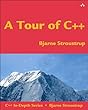
A tour of C++

This book is written by Bjarne Stroustrup, the creator of C++. Here, Bjarne gives a quick overview over the language, the STL, what is possible and how to use the feature, C++ provides. Don't expect any details here, though!

Kindle / ebook
Paperback


C++ Primer

In addition to the quick tour of C++ there are lots of "big books" available. While Bjarne Stroustrup himself also wrote one of that big books, I decided to get myself a different one - just to have C++ presented from yet another angle.

The C++ primer is written by people with manifold experience who coded in C++ for companies like Microsoft, IBM, Bell Laboratories, AT&T and Pixar. This book provides an in-depth view on all the important concepts and lots of exercises.

Kindle / ebook
Paperback


Effective C++

This book is not intended for beginners. However, in my opinion, it is a must read for every C++ programmer. It contains tons of material on how to make your code more robust, secure and performant. It covers all that important and subtle details that can make the difference between a good program and a mess.

Paperback

Effective Modern C++

This is the pendant of Effective C++ just for the new features braught in by C++ 11 and C++ 14. This book is also highly recommended for anybody wanting to switch from an older version.

Kindle / ebook
Paperback


More of the Effective C++ - Series

As I am very satisfied with that series, I'm going to get myself the other ones as well. These are the following:

More Effective C++: 35 New Ways to Improve Your Programs and Designs

This is part 2 of Effective C++"


Effective STL: 50 Specific Ways to Improve Your Use of the Standard Template Library

I'm definetely looking forward to this one, as it specifically covers the usage of the STL - the bread and butter of every C++ program.

Montag, 25. Januar 2016

Siebel: Setting the NavCtrlPR to Transalte causes clients not to load ("blank screen")

Just a quick note on a behavior I recently discovered in Siebel 8.1.1.14 with OpenUI:

When in a multilingual environment, you may have noticed that the values offered in Behavior / Navigation Control appear in ENU and your local language(s).

This is because the underlying LOV (NavCtrlPR) does not have the translated flag set. However, after setting the translation flag (and restarting the server) the clients that access the object manager of your local language show a "blank screen". (The menu bar appears, but without any text. The toolbar sets up - but nothing else is displayed).

In the javascript console of your browser, an error appears that looks like this:


Die Uncaught TypeError: Cannot read property 'Show' of undefined
@
navctrlmngr.js?_scb=8.1.1.14_SIA_[23044]_DEU:39
  
In other browsers the error message could be different. The error also differs from time to time. For example, I had also errors saying that the method ShowUI() of undefined cannot be executed.


After some debugging I saw that the error appears right after a business service (that initializes the navigation) was called from javascript. The assumption is, that the Javascript relies on english values to be provided and thus, the UI crashes when receiving something different - but I did not verify this.

However, resetting the translate flag of NavCtrlPR to false solved the problem. I only know of 2 variants now how to display the navigation control:

  • Display the values of all installed languages
  • Display only ENU languages
    • You can achieve this by setting the inactive flag of the local entries in the LOV so only the ENU values remain active
If somebody knows an alternative way (or maybe even a solution) to cope with this problem, please feel free to leave a comment.

Dienstag, 5. Januar 2016

Implementing the Fibonacci Numbers

The fibonacci numbers are a sequence of integers defined as follows.

Let F(n) be the n-th fibonacci number, then:
  • F(1) = 0
  • F(2) = 1
  • F(n) = F(n-1) + F(n-2) for all n>2
Thus, the first 10 fibonacci numbers are: 0, 1, 1, 2, 3, 5, 8, 13, 21, 34

Since the definition of the fibonacci numbers is already recursive (using a so called recurrence relation), their recursive implementation is taken as example for recursive programming in a lot of basic programming courses.

The naive approach to write a recursive function calculating the n-th fibonacci number would look like this:

Function fib(n)
   IF n=1 THEN

      RETURN 0
   ELSE IF n=2 THEN

      RETURN 1
   ELSE
      RETURN fib(n-1) + fib(n-2)

Because of the last line of the above code, multiple computations of already computed fibonacci numbers are performed over and over again. To calculate F(5), we need to calculate F(4) and F(3). To calculate F(4) we need to calculate F(3) (again!) and F(2) and so on. For example, in a call of fib(15) the following numbers are calculated:

Fibonacci numberCount of calculations
F(15)1
F(14)1
F(13)2
F(12)3
F(11)5
F(10)8
F(9)13
F(8)21
F(7)34
F(6)55
F(5)89
F(4)144
F(3)233
F(2)377
F(1)233

(By the way, this is a perfect example for practical usage of the fibonacci numbers: Think about the count of calculations and if and why these values look familiar to your eyes :) )

In the following video I'll introduce an iterative approach (implemented recursively!) to calculate the numbers in javascript without redundant computation. The pseudo code looks like this:

Function fib(n)
   IF n=1 THEN

      RETURN 0
   ELSE IF n=2 THEN

      RETURN 1
   ELSE
      RETURN fibInner(n, 3, 1, 0)

Funciton fibInner(n, iter, prev, pprev)
   IF iter=0 THEN
      RETURN prev+pprev
   ELSE
      RETURN fibInner(n, iter+1, prev+pprev, prev)

Here we actually have a function fibInner that gets as its parameters the values of the two previous fibonacci numbers. We are therefore storing the information we need to calculate the next number without the need of calculating them again.

If you are interested in a more detailed explanation or in the javascript implementation, have a look at the video here:


Last but not least, here are some great links to further information about recursion/iteration and how to cope with some problems that can occur when using recursion - taken out from the book Structure and Interpretation of Computer Programs
The fibonacci numbers are a very well studied sequence. To see what kind of stuff math gurus do with them, have a look at the wikipedia article.


Introduction

Hello World!

Parallel to my youtube channel LiveYourCode, I'm starting this blog about one of my favourite things to do: Writing source code :-)

I'll start with a couple of easy recursive algorithms but there is no overall great plan on what I'll post here. It will be anything related to programming, algorithms, software architecture and whatever comes to my mind :)

I apprechiate any feedback!

Cheers,
Steve